
A doorman calls out at 6am. The shift is covered before your coffee's done.
WorkNest replaces the binders, phone trees, and paper leave slips with one system for schedules, vacation and sick days, and shift coverage — built for doormen, porters, handymen, and the supers who run them.
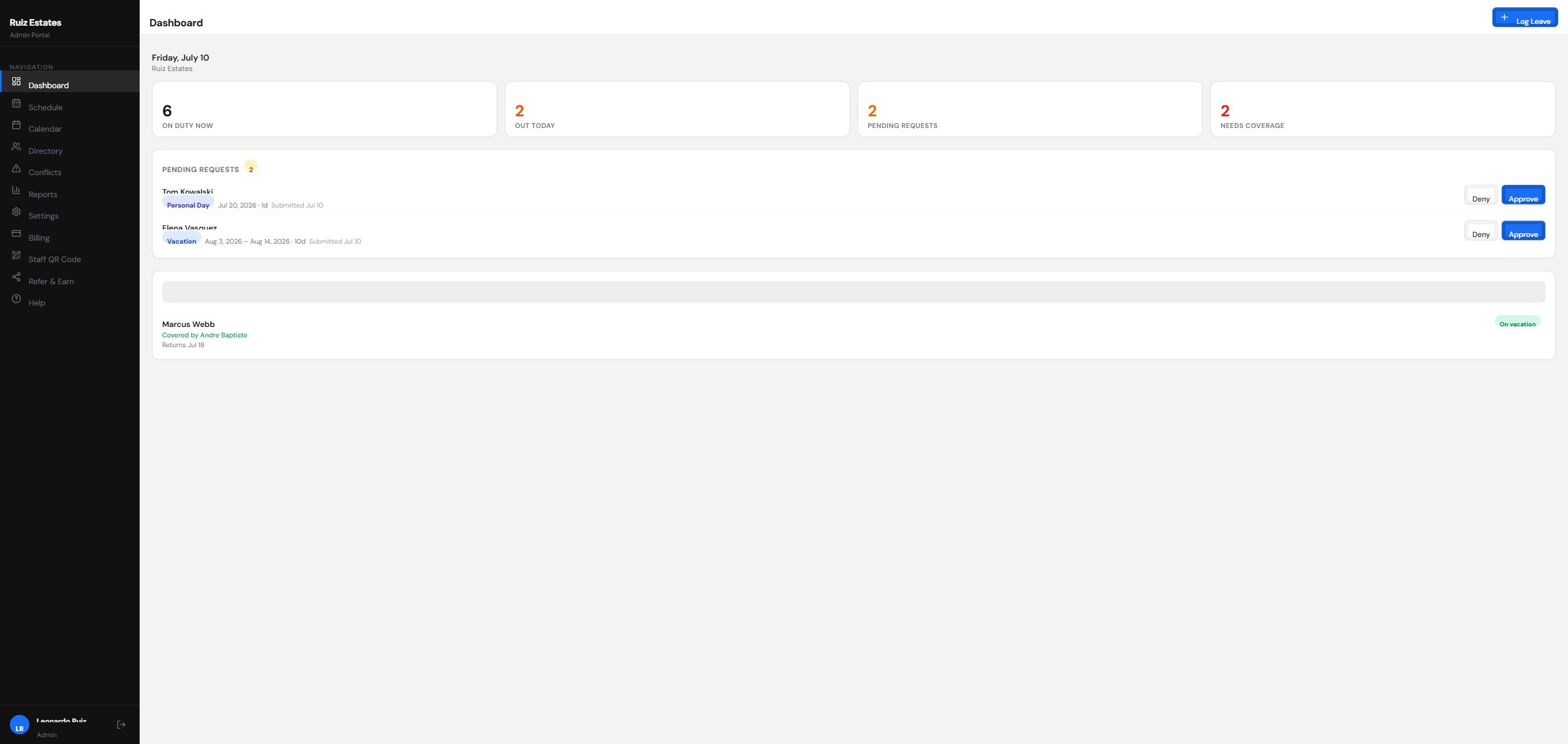
Your Building, Before and After WorkNest
The same problems every residential building deals with — handled.
Before
With WorkNest
When Someone Calls Out, WorkNest Finds the Replacement
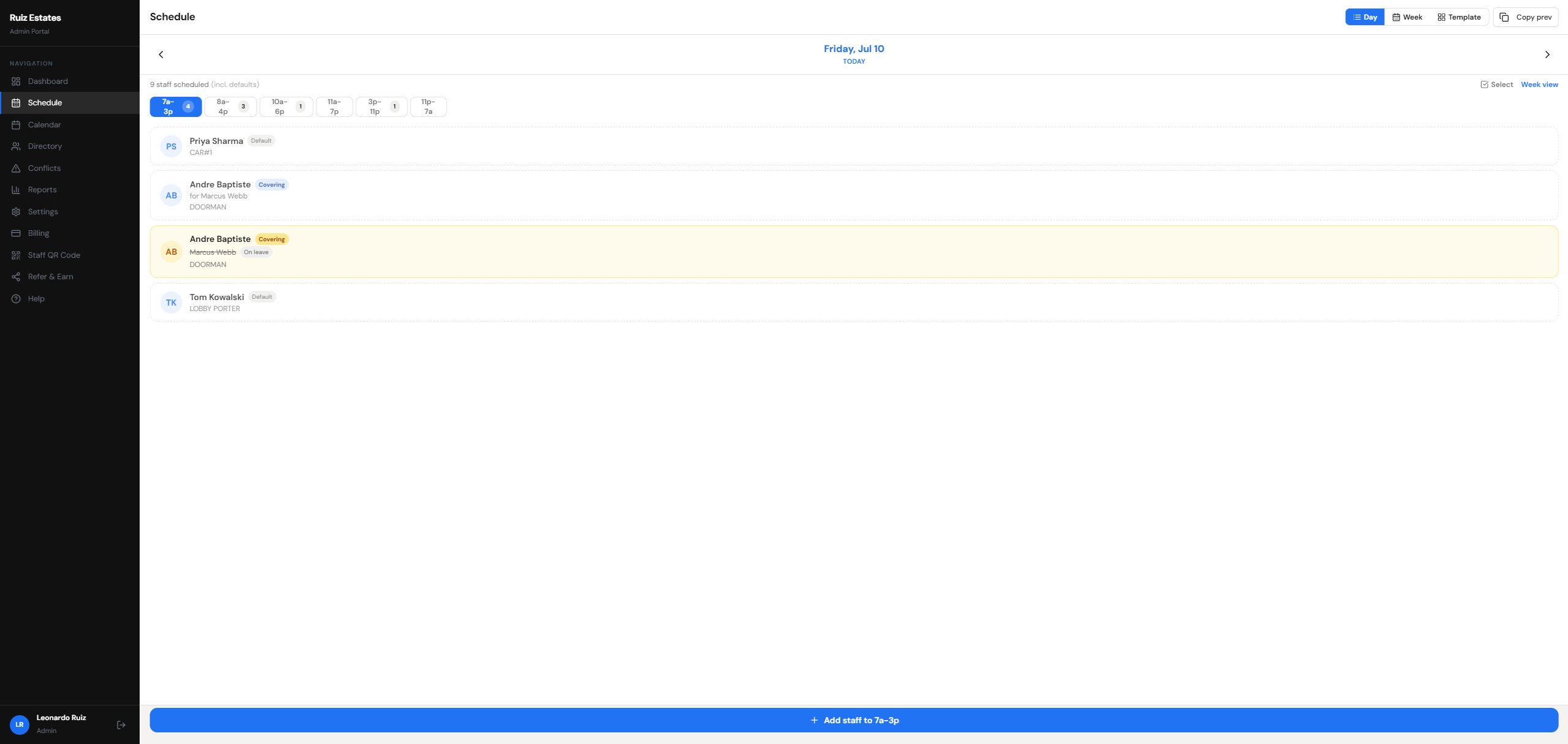
The schedule shows exactly who's covering for whom. Assign a call-in yourself, or broadcast the open shift to every eligible staff member — the first one to claim it gets it, and everyone else is told it's taken.
- Day and week views organized by shift and post
- “Covering” badges show replacements at a glance
- Broadcast open shifts to all eligible call-ins at once
- Staff accept, decline, or claim shifts from email — one tap
- Reusable schedule templates and copy-previous-day
Every Vacation, Sick Day, and Personal Day — On One Calendar
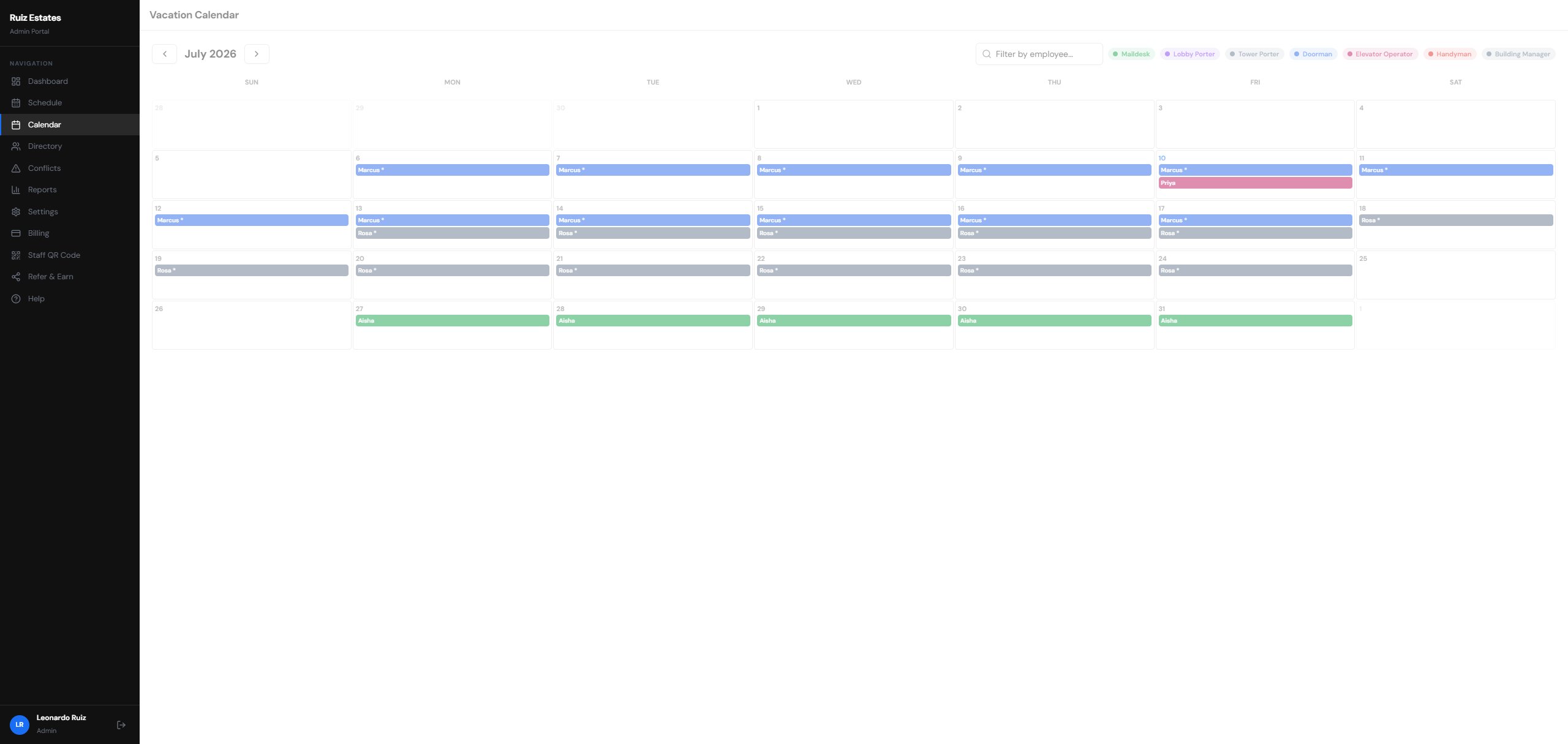
Requests come in from staff phones, you approve from the dashboard, and the calendar updates itself — color-coded by role so you can spot a thin week before it happens.
- Real-time balance tracking per leave type
- Color-coded monthly calendar by role
- Automatic double-booking and conflict detection
- One-tap approvals with email notifications
- Asterisks mark shifts that already have coverage
Your Whole Roster, and a Portal They Actually Use
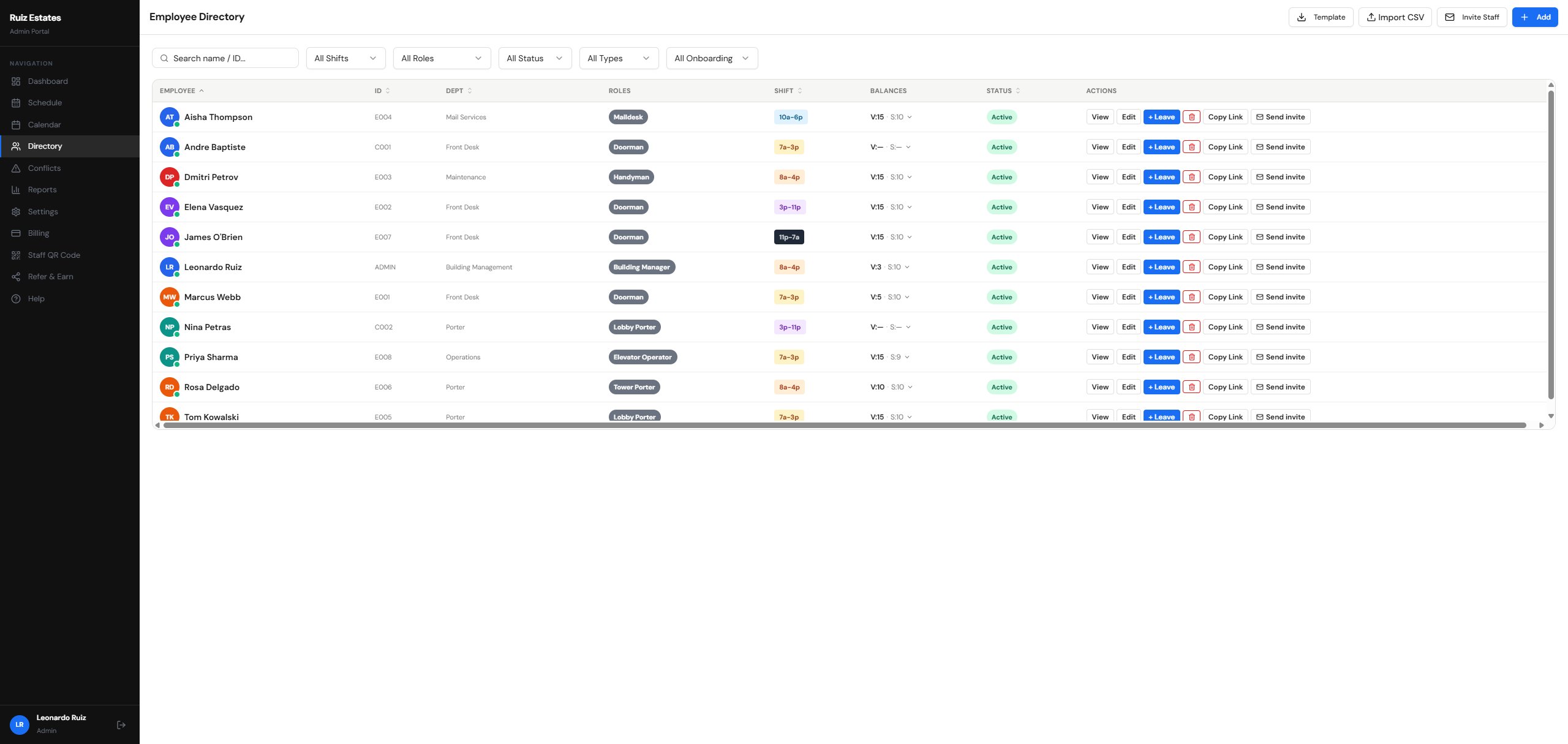
Every employee's role, shift, balances, and onboarding status in one directory — while staff handle the day-to-day themselves from a mobile-friendly portal, without calling the office.
- Check leave balances and upcoming shifts from any phone
- Submit vacation and sick requests in seconds
- Claim open coverage shifts before anyone else
- Accept or decline coverage offers right from email
- Complete onboarding and building-rules sign-off digitally
- Self-onboard by scanning the building QR code
Up and Running in Three Steps
No IT department required.
Add your roster and shifts
Enter your staff, posts, and shifts — doorman, maildesk, porters, handymen. Reuse templates instead of rebuilding every week.
Staff join with a QR code
Post the building QR code in the locker room. Staff scan it, fill in their own details, and you approve them.
Run the building from your phone
Approve leave, broadcast open shifts, and see who's on duty — from the lobby, the basement, or home.
Built by a Super, for Supers
I've been a building superintendent in New York for over 20 years. Managing 72 staff members meant binders — onboarding paperwork, leave requests, shift schedules, all tracked by hand. So I built the tool I always needed. WorkNest runs at my building every day, and now it's available for yours.
What It Looks Like Day to Day
The 6am call-out
A doorman calls out before his shift. The super broadcasts the open shift from his phone, and an eligible call-in claims it — no phone tree, no waking people up one by one.
The balance question
Instead of knocking on the office door to ask how many vacation days they have left, staff check their balance on their phone and submit the request right there.
The "what happened?" question
When management or the board asks who covered what and when, every request, approval, and coverage swap is already on record with a date and a name.
Simple Pricing for Building Supers
One building. Your whole team. Cancel anytime.
Starter
Or $290/year
- 1 building
- Up to 15 employees
- Basic directory & scheduling
- Employee onboarding
Pro
Or $590/year
- 1 building
- Up to 40 employees
- Leave records & vacation calendar
- QR code staff onboarding
- Employee self-service portal
- Full reports
Pro Plus
Or $990/year
- 1 building
- Up to 100 employees
- Everything in Pro
- Training & compliance tracking
- Audit logs
- Priority support
Pro Max
Or $1,790/year
- 1 building
- Up to 200 employees
- Everything in Pro Plus
- Custom onboarding
- Dedicated support
Need to manage more than one building? Each building gets its own plan — pick the size that fits its team.
Common Questions
Do my staff need to install anything?
No. The staff portal works in any phone browser. Staff join by scanning your building's QR code, and you approve them before they get access.
Who can see what?
Admins manage the building. Staff only see their own schedule, balances, and requests, plus a basic directory — personal details like phone numbers, addresses, and emergency contacts stay admin-only.
Does WorkNest run payroll?
No. WorkNest handles scheduling, leave, and coverage. Your payroll stays exactly where it is today.
How long does it take to get started?
Most of the work is entering your roster and shifts. Once that's in, staff onboard themselves with the QR code. If you'd like help, book a call and we'll walk through setup with you.
Is there a free trial?
Yes — every plan starts with a 14-day free trial so you can run your real schedule before you commit.
Who built this?
A working NYC building superintendent with over 20 years on the job. WorkNest runs every day at his own 378-unit Manhattan building.
Retire the Binder This Month
Try WorkNest on your real schedule for 14 days, or book a call and I'll walk you through it myself — super to super.
Already using WorkNest?